my favorite tv shows a reconstruction from memories and my rating
Oz (1997) ★
Curb Your Enthusiasm (2000) ★★★★
Scrubs (2001) ★★★★★
Nip/Tuck (2003) ★★★
Dr. House (2004) ★★★★
My Name is Earl (2005) ★★★★
Prison Break (2005) ★★★★
The Office (2005) ★★★★★
Dexter (2006) ★★
Eureka (2006) ★
Californication (2007) ★★★
The Big Bang Theory (2007) ★★★★★
Fringe (2008) ★★★★★
Breaking Bad (2008) ★★★
Parks and Recreation (2009) ★★★★★
The Walking Dead (2010) ★
Shameless (2011) ★★★★★
Black Mirror (2011) ★★★★
Lillehammer (2012) ★★★★
Elementary (2012) ★★
The Bridge US (2013) ★★★
The Blacklist (2013) ★★★
Peaky Blinders (2013) ★
Ray Donovan (2013) ★★★
Hello Ladies (2013) ★★
Those Who Kill US (2014) ★
True Detective (2014) ★★★
Fargo (2014) ★★★★
Bosch (2014) ★★★★★
You're the Worst (2014) ★★★★
Better Call Saul (2015) ★★★★★
Jessica Jones (2015) ★
Blindspot (2015) ★★
The Night Manager (2016) ★★
Animal Kingdom (2016) ★★★★★
StartUp (2016) ★★★★
Young Sheldon (2017) ★★★★
Disjointed (2017) ★★★
Dexter: New Blood (2021) ★★
Bosch: Legacy (2022–2025) ★★★★★
Reacher (2022) ★★★★
The Old Man (2022) ★★★
Tulsa King (2022) ★★★
The Terminal List (2022) ★★★
Georgie & Mandy's First Marriage (2024) ★★★★
Bad Monkey (2024) ★★★
Fallout (2024) ★★★
The Penguin (2024) ★★★
The Day of the Jackal (2024) ★★★
Dexter: Original Sin (2024) did not seen this spinoff yet
Pluribus (2025) ★★★
Dexter: Resurrection (2025) did not seen this spinoff yet
Ballard (2025) did not seen spinoff yet
BAD Monkey just s01
ARROW aborted
Digital Ozempic the Windows Post-Install Tools
---
# 🛠️ The Ultimate Guide to Windows Post-Install Tools on GitHub
A curated collection of open-source utilities to optimize, debloat, and secure your fresh Windows 10/11 installation.
---
Fresh Windows installations come packed with bloatware, telemetry, and unnecessary services that slow down your system and compromise your privacy. Thankfully, the open-source community has built an incredible ecosystem of tools to reclaim control over your operating system.
This guide covers the best GitHub-hosted utilities for post-installation Windows optimization—completely free and community-driven.
---
## 🔥 Top All-in-One Solutions
| Tool | GitHub | Type | Why It Stands Out |
|------|--------|------|-------------------|
| **Chris Titus WinUtil** | [github.com/ChrisTitusTech/winutil](https://github.com/ChrisTitusTech/winutil) | PowerShell GUI | The gold standard. Debloating, tweaks, app installation via Winget, actively maintained. Run instantly: `irm "https://christitus.com/win" \| iex` |
| **Optimizer (NXT)** | [github.com/hellzerg/optimizer](https://github.com/hellzerg/optimizer) | C# GUI | 24 languages, telemetry blocking, DNS switching, registry fixes. Now evolved into OptimizerNXT |
| **Privatezilla** | [github.com/builtbybel/privatezilla](https://github.com/builtbybel/privatezilla) | C# GUI | Privacy-first with 60+ configurable settings and community script packages |
| **Sophia Script** | [github.com/farag2/Sophia-Script-for-Windows](https://github.com/farag2/Sophia-Script-for-Windows) | PowerShell Module | Power-user focused, highly modular, supports Windows 10 & 11 |
| **Win11Debloat** | [github.com/Raphire/Win11Debloat](https://github.com/Raphire/Win11Debloat) | PowerShell | Lightweight, Windows 11 specific, beginner-friendly |
---
## 🧹 Debloating & App Removal
| Tool | GitHub | Description |
|------|--------|-------------|
| **Windows10Debloater** | [github.com/Sycnex/Windows10Debloater](https://github.com/Sycnex/Windows10Debloater) | The classic choice for removing pre-installed apps and telemetry |
| **PyDebloatX** | [github.com/Teraskull/PyDebloatX](https://github.com/Teraskull/PyDebloatX) | Python-based GUI—fast, clean, intuitive |
| **Win-Debloat-Tools** | [github.com/LeDragoX/Win-Debloat-Tools](https://github.com/LeDragoX/Win-Debloat-Tools) | Modular CLI approach with minimal functionality impact |
| **Bloatynosy** | [github.com/builtbybel/BloatyNosy](https://github.com/builtbybel/BloatyNosy) | Universal debloater with modern, polished UI |
| **Bulk-Crap-Uninstaller** | [github.com/Klocman/Bulk-Crap-Uninstaller](https://github.com/Klocman/Bulk-Crap-Uninstaller) | Mass uninstallation including non-Store apps |
---
## 🔐 Privacy & Security Hardening
| Tool | GitHub | Focus |
|------|--------|-------|
| **privacy.sexy** | [github.com/undergroundwires/privacy.sexy](https://github.com/undergroundwires/privacy.sexy) | Generates privacy/security scripts for Windows & macOS |
| **WindowsSpyBlocker** | [github.com/crazy-max/WindowsSpyBlocker](https://github.com/crazy-max/WindowsSpyBlocker) | Firewall/hosts-based tracking blocking with RegEx rules |
| **Debotnet** | [github.com/builtbybel/debotnet](https://github.com/builtbybel/debotnet) | Portable privacy control for Windows 10 with extensive options |
| **Blackbird** | [github.com/ArchdukeTim/blackbird](https://github.com/ArchdukeTim/blackbird) | Batch script blocking telemetry at application & network levels |
| **WPD** (Windows Privacy Dashboard) | [github.com/henrypp/wpd](https://github.com/henrypp/wpd) | GUI tool for privacy settings (no longer actively maintained) |
---
## ⚙️ Performance & System Tweaks
| Tool | GitHub | Highlights |
|------|--------|------------|
| **WinTweakers/WindowsToolbox** | [github.com/WinTweakers/WindowsToolbox](https://github.com/WinTweakers/WindowsToolbox) | Gaming & performance tweak collection |
| **Windows-Optimize-Debloat** | [github.com/simeononsecurity/Windows-Optimize-Debloat](https://github.com/simeononsecurity/Windows-Optimize-Debloat) | Combines security baselines with debloating |
| **Optimize-Windows** | [github.com/ShivamXD6/Optimize-Windows](https://github.com/ShivamXD6/Optimize-Windows) | Answer files + scripts for gaming/power-user setups |
| **simplify11** | [github.com/emylfy/simplify11](https://github.com/emylfy/simplify11) | Automated post-install configuration for Windows 11 |
---
## 📜 Script Generators & Automation
| Tool | GitHub | Function |
|------|--------|----------|
| **win-post-install** | [github.com/kaic/win-post-install](https://github.com/kaic/win-post-install) | Web tool generating custom batch scripts with 100+ apps & configs |
| **Windows10-Postinstall** | [github.com/r33int/Windows10-Postinstall](https://github.com/r33int/Windows10-Postinstall) | Personal script collection for performance & privacy |
| **Win10 Initial Setup Script** | [github.com/W4RH4WK/Debloat-Windows-10](https://github.com/W4RH4WK/Debloat-Windows-10) | Automates routine post-installation tasks |
---
## 🎯 Hidden Gems & Special Mentions
- **WinScript** ([github.com/flick9000/winscript](https://github.com/flick9000/winscript)) – Recently updated (5 days ago), flying under the radar with quality features
- **Ultimate Windows Optimization Guide** ([github.com/FR33THYFR33THY/Ultimate-Windows-Optimization-Guide](https://github.com/FR33THYFR33THY/Ultimate-Windows-Optimization-Guide)) – Underground but excellent
- **Winhance** – Secret tip: `irm "https://get.winhance.net" \| iex`
- **Windows Defender Remover** ([github.com/ionuttbara/windows-defender-remover](https://github.com/ionuttbara/windows-defender-remover)) – For those wanting complete control
- **Win10BloatRemover** ([github.com/Fs00/Win10BloatRemover](https://github.com/Fs00/Win10BloatRemover)) – Clean, focused bloat removal
---
## 🗂️ Curated Lists & Resources
| Repository | GitHub | Content |
|------------|--------|-----------|
| **awesome-list-windows-debloaters** | [github.com/finallaptop/awesome-list-windows-debloaters](https://github.com/finallaptop/awesome-list-windows-debloaters) | 20+ debloating repos with links |
| **awesome-windows-privacy** | [github.com/TemporalAgent7/awesome-windows-privacy](https://github.com/TemporalAgent7/awesome-windows-privacy) | Comprehensive collection: scripts, OSS tools, docs, alternatives |
| **massgrave.dev** | [massgrave.dev/windows_ltsc_links](https://massgrave.dev/windows_ltsc_links) | Windows LTSC resources and links |
---
## ⚠️ Critical Safety Guidelines
Before running any optimization tool:
1. **Run as Administrator** – Most tools require system privileges
2. **Create a backup** – Set a system restore point before registry or service changes
3. **Review scripts** – Read PowerShell code or test in a VM first
4. **Verify integrity** – Check SHA-256 hashes on release downloads
5. **Don't disable blindly** – Some tweaks can break system functions or updates
---
## 🎯 Quick Recommendations by Use Case
| Goal | Recommended Tool |
|------|------------------|
| Beginner-friendly quick optimization | Chris Titus WinUtil |
| Maximum privacy | Sophia Script + privacy.sexy |
| Gaming PC performance | WinTweakers WindowsToolbox + OptimizerNXT |
| Minimal bloat setup | Win11Debloat + Bulk-Crap-Uninstaller |
| Enterprise/IT admin | Sophia Script (modular) + WindowsSpyBlocker |
---
## 💡 Suggested Workflow
Combine tools for best results:
1. **Fresh Windows install**
2. **WinUtil** – Base debloat & app installation
3. **privacy.sexy** – Generate custom privacy scripts
4. **OptimizerNXT** – Fine-tune DNS, hosts, and registry
Image line Fl-Studio (Fruity loops) fraud customerservice
Hi everyone,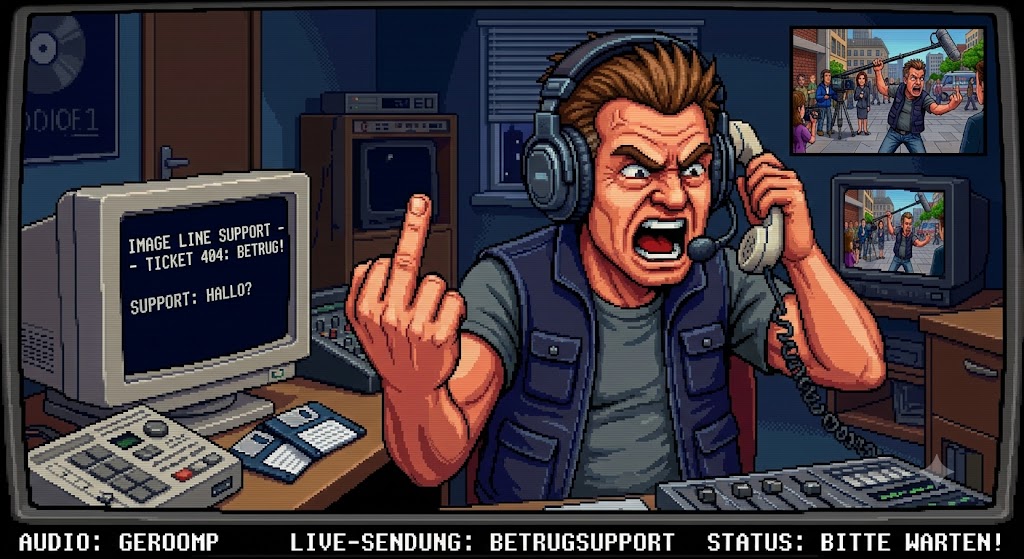
Just recently I have been faced with a rather disappointing customer experience with Image-Line.
I bought FL Studio 7 XXL (Signature Edition) back in 2007 or there abouts, and I have had a Image-Line user account for approximately 13 years with no issues.
However, this changed in Novemeber 2020 when I tried to log in to my account to take advantage of the black friday specials to upgrade my FL Studio from "signature edition" upto the "all plugins bundle".
Login authentication failed, password recovery authentication failed which indicates that my email address did not exist in Image-Lines database.
I tried contacting support@image-line.com via email and explained my situation, no reply for 15 business days and counting.
So I decided to try create a user account using the same email address which was successful and confirmed that indeed my email address prior did not exist in Image-Lines data base.
So I tried creating a support ticket on my account explaining my situation. I recieved a fast reply on the same day but unfortunately they were unable to provide any answers or solutions and just directed me to contact legal@image-line.com for further support.
All I am wanting to know is why did my account disappear without any official explanation ? and how can I re-obtain my account and FL Studio Signature Edition licence ?.
5 business days and counting, still no response from Image-Line yet. It is possible that my issue may get resolved in due time, however 20 business days with no answers is just not very satisfactory.
I just wanted to share my experience and I will update this thread if the issue ever gets resolved, but when you try to be a supporter of this industry and have experiences like this, you really can't be mad at people for using cracked versions.
Anything from poor customer support, to poor product protection schemes, to usb dongles, to over priced products etc.... I try to be a supporter and have probably spent close to 10k - 20k on software, but sometimes its just discouraging to try and be a supporter.
Take care everyone.
ps: lates news
Recent user feedback (2025–2026) shows mixed experiences—some praise the software's features and lifetime updates, while others complain about bugs in newer versions (especially FL 2025 on macOS), slow support, or account verification hiccups.
f